



Google Maps
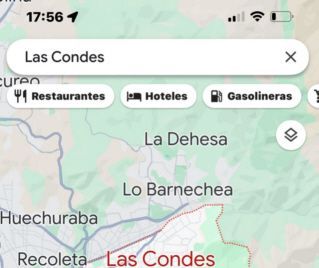
Millions of people use Google Maps every day to view an address and search for nearby businesses.
At the top of the screen appears a strip that allows you to search for restaurants, cafes, gas stations, hotels, etc.
When you tap on restaurants, neighborhood restaurants appear with photos of their dishes, whether they are open, and buttons to view the menu and call.
Google Maps is convenient for businesses in a fixed location.
Google Maps doesn't work well when searching for taxis
The location of the taxis is dynamic. They change position every minute.
Instead of searching for nearby taxis with Google Maps, it's preferable to search for them with Radar.taxi, which shows their location updated in real time in collaboration with Google.
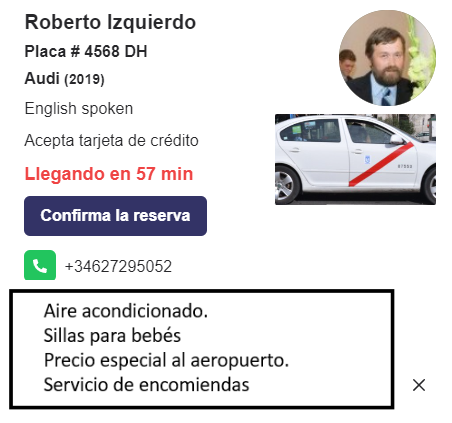
This is the data that is displayed when you click on the icon.
Vehicle make and year, taxi photo, passenger capacity, driver's name and gender, whether credit cards are accepted, whether English is spoken, and photos of the vehicle and driver. To facilitate bookings, a phone number is provided, along with a space to add details.
It's important to note that Radar.taxi only accepts licensed taxi drivers. The company reviews all applicants' documentation.
This is how taxis are displayed
Radar.taxi is more than just an advertising platform. Passengers who request a taxi on the website receive a map of their desired route, the estimated duration, and the price calculated by an electronic taximeter. The platform and driver app are available in 10 languages.
Passengers can filter the results to see, for example, only taxis driven by women who speak English and accept credit cards.
For 6 months, taxi drivers will have free access to the application and be able to establish their presence on Google Maps.
To help passengers find you on Google Maps, install the driver addion app.